Free Form Programming Overview
A short video walkthrough of free Form Programming Overview from the TeamBuildr knowledge base.
Watch or read
3 minutes across 3 chapters. Click any chapter or timestamp to jump straight there.
3 chapters
we are excited to announce our brand new feature free form programming this will enhance the way coaches can prescribe training programs to their athletes as you may know we traditionally have programmed on our three- tier calendar system where coaches are able to build programs at the calendar level at the parent calendar level modify at the sub calendar level and then edit at the individual level with free form programming coaches will be able to save any program that has been built on their calendar give it a title a description and header image and then choose if these are applicable to their athletes to do this
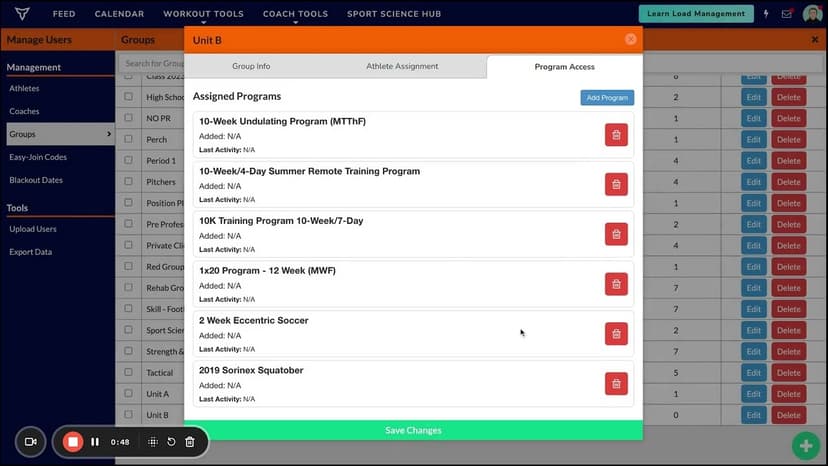
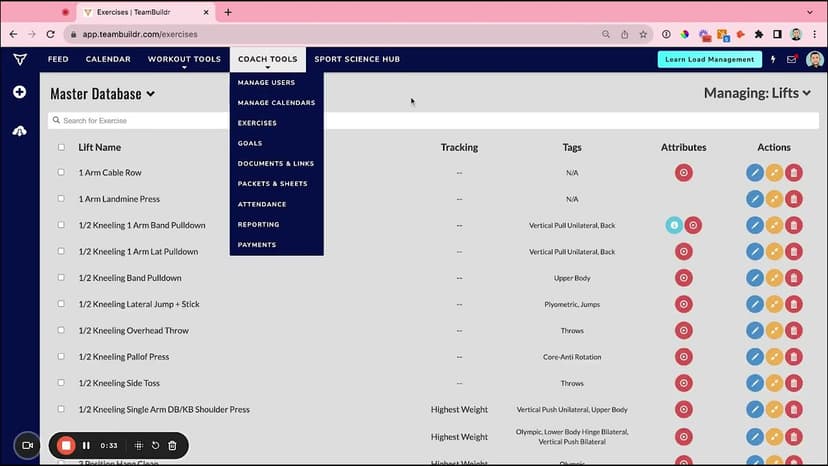
coaches will navigate to the manage user section under coach tools they can add these programs to their athletes program library in a few ways the first would be through the edit button for any individual athlete where they can grant program access it is worth noting that at the silver and gold plans coaches can only prescribe one additional program at the platinum and platinum Pro Plan plans coaches can allow for athletes to choose from multiple programs the next way that coaches can add programs to their athletes is by
Still stuck? Contact support →
Read next
More in Free Form Programming
Walkthrough
FreeAssigning Free Form Programming To Groups and Individuals
A short video walkthrough of assigning Free Form Programming To Groups and Individuals from the TeamBuildr knowledge base.
Also in Platform & Admin
Walkthrough
FreeChanging Program Names for Free Form Programming
A short video walkthrough of changing Program Names for Free Form Programming from the TeamBuildr knowledge base.
Walkthrough
FreeFree Form Programming (All Support Videos)
A short video walkthrough of free Form Programming (All Support Videos) from the TeamBuildr knowledge base.

Video · 7 min
FreeProgramming Tactical Session in TeamBuildr (PLAE Academy)
Programming a single tactical session in TeamBuildr. Get the entire PLAE Academy / Jon Hofman Tactical Program in TeamBuildr here: Here the link to enroll in the FREE PLAE Academy course "Fit for Duty": PLAE Academy Homepage:
Video · 3 min
FreeCASE STUDY: Brush High School Using TeamBuildr for Video Analysis
This spring Ryan Dugan (Strength Coach @Brush High School) noticed that most of his student-athlete’s Power Clean form was not where he wanted it to be after using multiple different teaching methods. Coach Dugan wondered if he should incorporate video analysis.

Video · 39 min
FreeAutoregulation in Long-Term Athletic Development: Meeting Athletes Where They Are - Phil Reichhoff
Level 1 Sample 9-Week Program: Free TeamBuildr webinar with Director of Performance Phil Reichhoff discussing how to program workouts for high school athletes who are constantly growing and maturing. Using Autoregulatory Progressive Resistance Exercise (APRE) to program for high
- Format
- Walkthrough
- Brand

- Category
- Free Form Programming
- Topics
- Platform & Admin