Guide to the Team Feed
All Posts does not include PR's as they may crowd the Team Feed. You can filter by PR types. Popular posts are based on number of Fits Bumps! The following activities will now deliver a notification to a coach or athl…
All Posts does not include PR's as they may crowd the Team Feed. You can filter by PR types.
Popular posts are based on number of Fits Bumps!
The following activities will now deliver a notification to a coach or athlete user that has the iOS or Android app downloaded (and notifications enabled):
- Coach Post on the Feed - all coaches & athletes within that coach's group assignments will receive a notification Athlete
- Video Upload on Feed - all coaches & athletes within that athlete's group assignments will receive a notification
Watch or read
3 minutes across 4 chapters. Click any chapter or timestamp to jump straight there.
4 chapters
Okay so we just released a new feature for the team feed so in this video we're going to cover the team feed as a whole including the new feature which is mobile video upload so as everyone knows the team feed is up here at the top at the top left and if you're a coach you can control whether or not you have a team feed activated whether it's turned on or off in groups so remember groups is in manage users and you can have a team feed on or off on a per group basis so assuming your team feed is on you'll see the team feed for all of your groups here and you can filter groups by just clicking selected groups and selecting one or more groups to filter by and.
Still stuck? Contact support →
Read next
More in Team Feed
Walkthrough
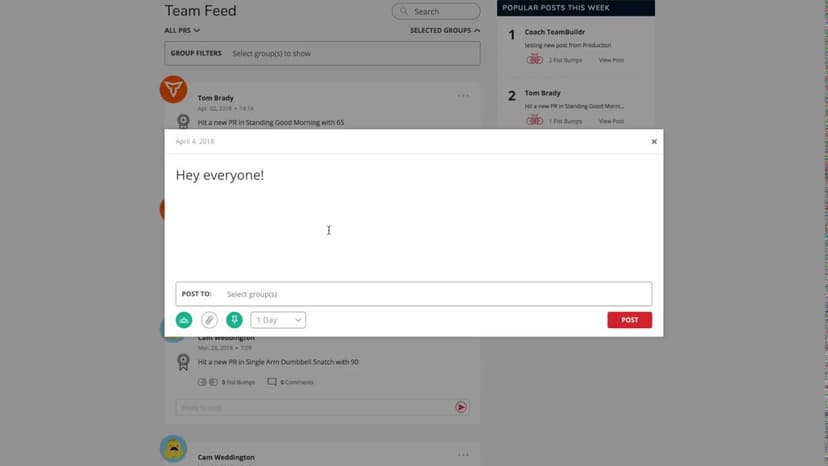
FreePosting on the Team Feed
A short video walkthrough of posting on the Team Feed from the TeamBuildr knowledge base.
Also in Platform & Admin
Walkthrough
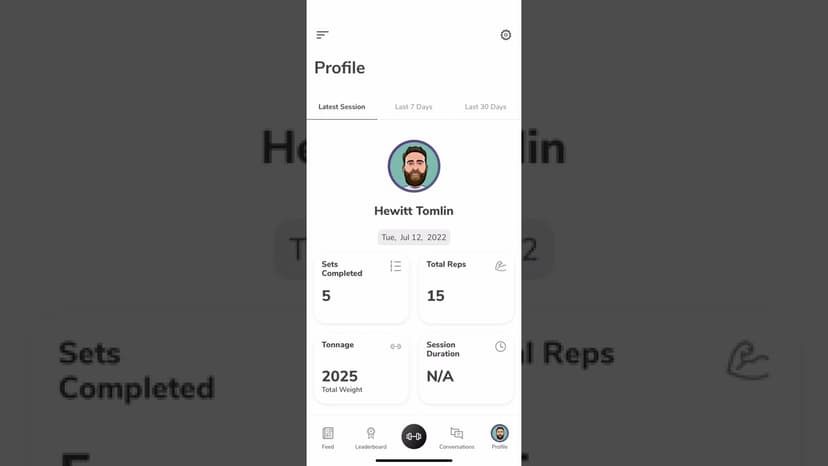
FreeWhat Your Athletes See in the TeamBuildr App
The athlete-side app walkthrough, for coaches about to hand it to a squad. What athletes can log, change and opt out of, what the team feed and leaderboard expose, and which settings sit with them rather than with you.
Read on the blog · 6 min
FreeWhy You Should Be Using Ground-Based Training For Non-Ground-Based Sportsopens blog.teambuildr.com in a new tab
Non-ground based sports pose a unique challenge for performance coaches. Coach Harrison Elias explains why he uses ground-based approaches to create well-rounded non-ground-based athletes.
Read on the blog · 7 min
FreeThe Benefits of Offering Recovery Services at Your Gym: How to Stay Ahead of the Competitionopens blog.teambuildr.com in a new tab
This post explains why recovery services are important, talks about popular recovery offerings, and shares strategies to monetize these services.

Spreadsheet · 2 walkthroughs
Free · sign upAdvanced Attendance Report
Attendance tracking for PE and weights classes that goes past a headcount. Copy the template and it totals participation per student over any window, ready to drop into a grade or a report to an administrator.
- Format
- Walkthrough
- Brand

- Category
- Team Feed
- Topics
- Platform & Admin