Using Zapier to Automate Emails in Constant Contact
A short video walkthrough of using Zapier to Automate Emails in Constant Contact from the TeamBuildr knowledge base.
Watch or read
5 minutes across 4 chapters. Click any chapter or timestamp to jump straight there.
4 chapters
Hey folks, in this video I will be showing you how to use Zapier and specifically using Zapier and TeamBuilder to connect with Constant Contact. So first things first, I'm logged into TeamBuilder, I am in the payments portal, and I am in the integrations tab. Secondly, I'm logged into my Constant Contact account. Now when you click link to Zapier, if you have a Zapier account, you just need to click connect TeamBuilder here. Otherwise, you need to log in. So in this case, I am logged in, and I'm going to click connect TeamBuilder to 5,000 plus apps.
Now in this case, I know which app I'm going to connect to, it's going to be Constant Contact. So first, I'm going to go ahead and give a title. So I'm going to say new subscriber to CC for Constant Contact. And what that means is anytime I get a new subscriber in my TeamBuilder payments portal, I want that to create a new contact in Constant Contact. So first things first for the actual Zap is you will need to create a trigger event.
So in the TeamBuilder app, I want to choose an event that triggers this Zap to take place. So in this case, I'm going to choose new subscriber. As you can see, we have some other actions. New registration is when someone registers for a program, but they don't actually end up paying yet. So sometimes people will register, but they won't pay. And what we can do is we can capture that information, send it to an application to continue marketing to them. So I do have that as an option.
Still stuck? Contact support →
Read next
Also in Platform & Admin
Walkthrough
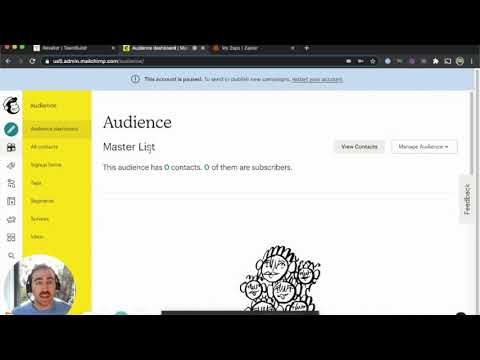
FreeUsing TeamBuildr, Zapier and Mailchimp to Automate Emails
A short video walkthrough of using TeamBuildr, Zapier and Mailchimp to Automate Emails from the TeamBuildr knowledge base.
More in Optimizing - Payments Portal
Walkthrough
FreeHow to Automate a Coach Reminder if an Athlete Payment Fails in Payments Portal
A short video walkthrough of how to Automate a Coach Reminder if an Athlete Payment Fails in Payments Portal from the TeamBuildr knowledge base.
Walkthrough
FreeWhen to Contact TeamBuildr vs. “DIY” in Stripe
There will be scenarios where TeamBuildr Support will need to assist: Users with Stripe Express accounts: Inside your TeamBuildr you can access the Payments Portal and mange your paying subscribers from the Payments P…

Video · 2 min
FreeHow to Integrate Zapier and TeamBuildr OS
How to Integrate Zapier and TeamBuildr OS — from the TeamBuildr YouTube channel.
Video · 5 min
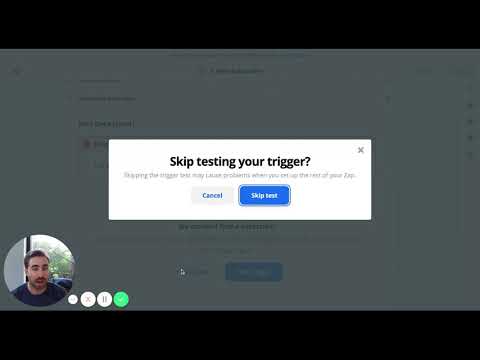
FreeUsing the Zapier - TeamBuildr Integration
This is how to connect TeamBuildr to other apps in Zapier.

Spreadsheet · 2 walkthroughs
Free · sign upAdvanced Attendance Report
Attendance tracking for PE and weights classes that goes past a headcount. Copy the template and it totals participation per student over any window, ready to drop into a grade or a report to an administrator.
- Format
- Walkthrough
- Brand

- Category
- Optimizing - Payments Portal
- Topics
- Platform & Admin