Using TeamBuildr, Zapier and Mailchimp to Automate Emails
A short video walkthrough of using TeamBuildr, Zapier and Mailchimp to Automate Emails from the TeamBuildr knowledge base.
Watch or read
6 minutes across 4 chapters. Click any chapter or timestamp to jump straight there.
4 chapters
Okay, we are going to talk about the Zapier integration specifically with MailChimp. MailChimp tends to be the most common email marketing platform, yet if you're using Zapier, you can integrate TeamBuilder with just about any app out there that you use for email, CRM, or what have you. So first things first in MailChimp, I recommend that everyone creates an audience, and you can create an audience called MasterList. So I have a MasterList audience. This is where everyone goes no matter what, and instead of using audiences to break up my lists, I'm going to use tags to break up my lists, and I'll show you how that works. So next, I'm going to go to Zapier. So if you've watched any of my past videos, you might have seen me create.
Different Zaps. So here is a Zap that sends people or people's information from TeamBuilder to Google Sheets. And then here is my Zap that sends information from TeamBuilder to MailChimp. And the purpose behind using something MailChimp, I think, is to automate emails. For instance, if someone signs up for a training program, then they get an automated email saying, welcome, download the app, here's some information. Those are all valuable things that would be nice to automate when someone buys your training program. So if I click into this Zap, as I previously explained, you set up the triggers on the TeamBuilder side, which we're not going to cover because we've already done that. And now we're going to talk about what happens in MailChimp.
Still stuck? Contact support →
Read next
Also in Platform & Admin

Walkthrough
FreeUsing Zapier to Automate Emails in Constant Contact
A short video walkthrough of using Zapier to Automate Emails in Constant Contact from the TeamBuildr knowledge base.
More in Getting Started - Payments Portal

Walkthrough
FreeSetting Up the TeamBuildr <> Zapier Integration
A short video walkthrough of setting Up the TeamBuildr <> Zapier Integration from the TeamBuildr knowledge base.
Walkthrough
FreeHow to Automate a Coach Reminder if an Athlete Payment Fails in Payments Portal
A short video walkthrough of how to Automate a Coach Reminder if an Athlete Payment Fails in Payments Portal from the TeamBuildr knowledge base.
Video · 1 min
FreeHow to Connect MailChimp to TeamBuildr OS
How to Connect MailChimp to TeamBuildr OS — from the TeamBuildr YouTube channel.

Video · 2 min
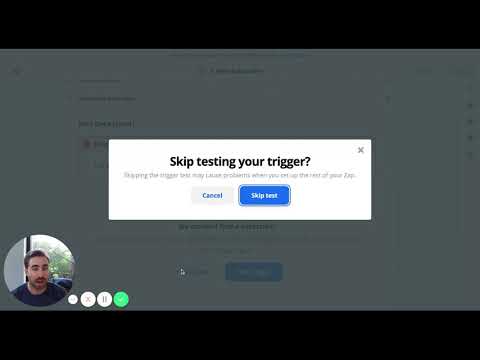
FreeHow to Integrate Zapier and TeamBuildr OS
How to Integrate Zapier and TeamBuildr OS — from the TeamBuildr YouTube channel.
Video · 5 min
FreeUsing the Zapier - TeamBuildr Integration
This is how to connect TeamBuildr to other apps in Zapier.
- Format
- Walkthrough
- Brand

- Category
- Getting Started - Payments Portal
- Topics
- Platform & Admin