Weekly Performance Assessment Overview
A short video walkthrough of weekly Performance Assessment Overview from the TeamBuildr knowledge base.
Watch or read
4 minutes across 3 chapters. Click any chapter or timestamp to jump straight there.
3 chapters
In this video, we're going to take a look at Team Builder's latest feature, the Weekly Performance Assessment. The Weekly Performance Assessment is a new Team Builder feature that replaces the current user activity report. It features a comprehensive overview of an athlete's performance and completion record over a specified week. An athlete's full weekly performance assessment can be accessed by a coach in the Manage Users page. So we're going to head to Coach Tools and select Manage Users. Next to each individual athlete, you'll now see a green report button. When we click on this, it's going to pull up our Weekly Performance Assessment.
The Weekly Performance Assessment has several detailed sections that gives a holistic view of an athlete's performance on Team Builder for the given week. As we scroll down, you'll see the Weekly Overview. This shows a comparison of an athlete's workout from this week to the last week, shows statistics on the number of exercises assigned and completed, a completion percentage, and new PRs along with their differences compared to last week. As we continue to scroll down, you'll see the Weekly Training Results. Here's where you'll find the total training time logged and the workout time for each day.
Still stuck? Contact support →
Read next
More in Attendance

Walkthrough
FreeScheduling the Weekly Performance Assessment
A short video walkthrough of scheduling the Weekly Performance Assessment from the TeamBuildr knowledge base.
Also in Testing & Monitoring

Walkthrough
FreeHow to Run an Assessment Report
A short video walkthrough of how to Run an Assessment Report from the TeamBuildr knowledge base.
Also in Platform & Admin

Walkthrough
FreeComparing Assigned and Completed Training Volume
See what you prescribed against what the athlete actually did, bucketed by percentage of their max. Built for the moment you suspect someone has been loading themselves heavier than the program says, and for deciding whether that means their max has moved. Part of the AMS package.

PDF · 37 min
FreeEpisode #32: Cultivating A Proper Learning Environment for Intern Success with MK Feit
MK Feit, who studies and runs internships at Springfield College, on screening for conflicts before interns arrive, a step-by-step path from observing to coaching a session, a weekly 1-5 skills rubric and reflection journal, and a voice exercise that gets nervous interns heard.

Spreadsheet · 2 walkthroughs
Free · sign upAthlete Wellness & Body Report
Track daily wellness check-ins and body composition in one sheet. Copy the template and follow the walkthrough to connect your athlete responses, then use the report to spot who is trending the wrong way before it costs you a session.
Spreadsheet · 2 walkthroughs
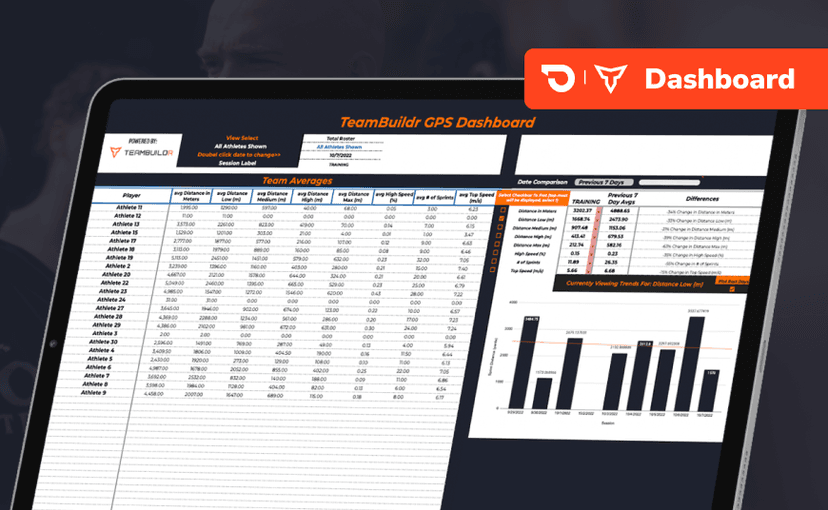
Free · sign upGPS Dashboard
Turn raw GPS exports into something you can actually read. Copy the template, follow the two setup videos, and you get a running view of load and distance per athlete. Built for coaches new to GPS or drowning in the files it produces.
- Format
- Walkthrough
- Brand

- Category
- Attendance