Native Video Upload (not using Youtube or Vimeo)
Videos are allowed to be 128 MB in size for exercise video uploads, which is roughly the equivalent to about 60 seconds at 4k and longer if lower quality, such as 1080p.
Videos are allowed to be 128 MB in size for exercise video uploads, which is roughly the equivalent to about 60 seconds at 4k and longer if lower quality, such as 1080p.
Watch or read
2 minutes across 3 chapters. Click any chapter or timestamp to jump straight there.
3 chapters
Hi everyone. In this video we'll discuss the feature that allows you to add your own video to an exercise without having to use YouTube or another third party hosting system. In this case, Team Builder will be hosting your video. So in this case, I will create an exercise called Power Snatch and under the instructional video header you will see the option to add a video URL. And then you also have an option to upload a video. So in this case we'll upload a video. It will then allow you to either drag a video file or simply click in order to choose a video.
So in my case, I have a video for Power Snatch. I just need to search for it. Once I find it, I can go ahead and hit enter and this will upload the video and attach it to this exercise. Again, this video will be hosted by Team Builder and not a third party such as YouTube or Vimeo. Now that my video is done uploading, I also have the option of adding a thumbnail. So in this case, I built a thumbnail called Power Snatch thumbnail.
Still stuck? Contact support →
Read next
More in Exercise Database
Walkthrough
FreeUsing the Exercise Upload Template
A short video walkthrough of using the Exercise Upload Template from the TeamBuildr knowledge base.
Also in Platform & Admin

Walkthrough
FreeAdding Videos to Exercises
A short video walkthrough of adding Videos to Exercises from the TeamBuildr knowledge base.

Walkthrough
FreeAdding Jumps and Throws in the Exercise Database (Vertical, Broad, etc.)
A short video walkthrough of adding Jumps and Throws in the Exercise Database (Vertical, Broad, etc.) from the TeamBuildr knowledge base.

Spreadsheet · 7 walkthroughs
Free · sign upCustom Grading System
A ready-made grading spreadsheet for PE and weights classes. Copy the template, connect it to your TeamBuildr data, and it calculates an overall grade from attendance, workout completion and evaluations. Seven short videos walk you through every step of the setup.
Spreadsheet · 2 walkthroughs
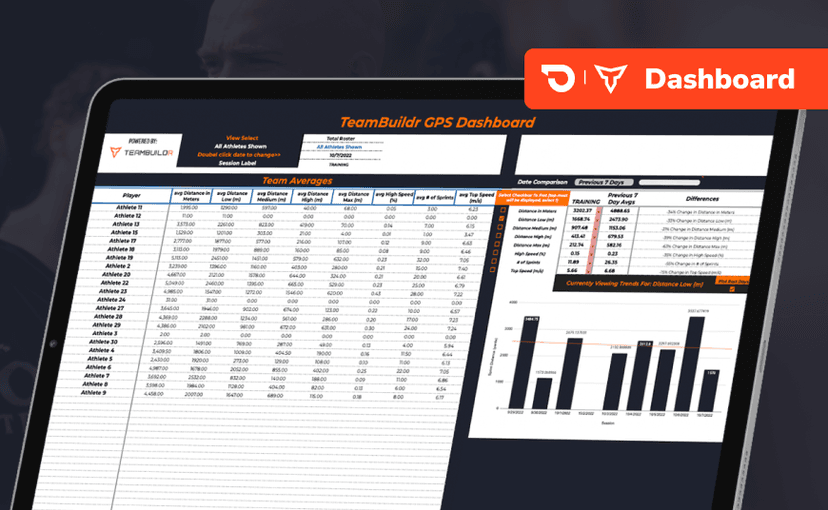
Free · sign upGPS Dashboard
Turn raw GPS exports into something you can actually read. Copy the template, follow the two setup videos, and you get a running view of load and distance per athlete. Built for coaches new to GPS or drowning in the files it produces.
Video · 6 min
FreeTech Tip: Easily Creating Your Own Exercise Videos
Tech Tip: Easily Creating Your Own Exercise Videos — from the TeamBuildr YouTube channel.
- Format
- Walkthrough
- Brand

- Category
- Exercise Database
- Topics
- Platform & Admin