Adding Jumps and Throws in the Exercise Database (Vertical, Broad, etc.)
A short video walkthrough of adding Jumps and Throws in the Exercise Database (Vertical, Broad, etc.) from the TeamBuildr knowledge base.
Watch or read
1 minutes across 3 chapters. Click any chapter or timestamp to jump straight there.
3 chapters
Okay, so here we're going to talk about how to add a jump or a throw into your stored exercise database inside of your Team Builder account. First steps to take are to navigate to the database underneath Coach Tools, Exercises. By default, this is going to automatically open up to your lifts category. Here, we're going to need to switch this to SAQ plus C. Once we are in SAQ plus C, this is where we're actually going to add the movement. So click the plus button on the left-hand side. Exercise name. In this example, we'll use Vertical Jump. Now, what makes this unique is the primary user input can be switched underneath SAQ plus C to either time or distance.
Still stuck? Contact support →
Read next
Also in Platform & Admin
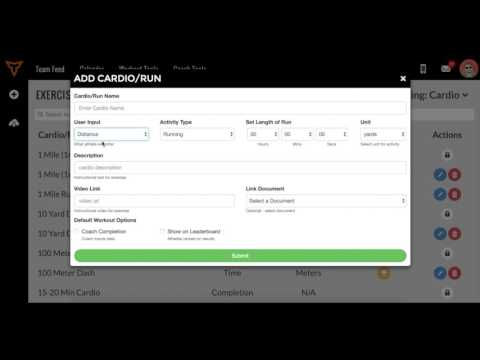
Video · 1 min
FreeAdding Jumps or Throws in Exercise Database (Vertical, Broad, etc.)
Adding Jumps or Throws in Exercise Database (Vertical, Broad, etc.) — from the TeamBuildr YouTube channel.
More in Exercise Database
Walkthrough
FreeCreating Your Exercise Database in TeamBuildr
A short video walkthrough of creating Your Exercise Database in TeamBuildr from the TeamBuildr knowledge base.
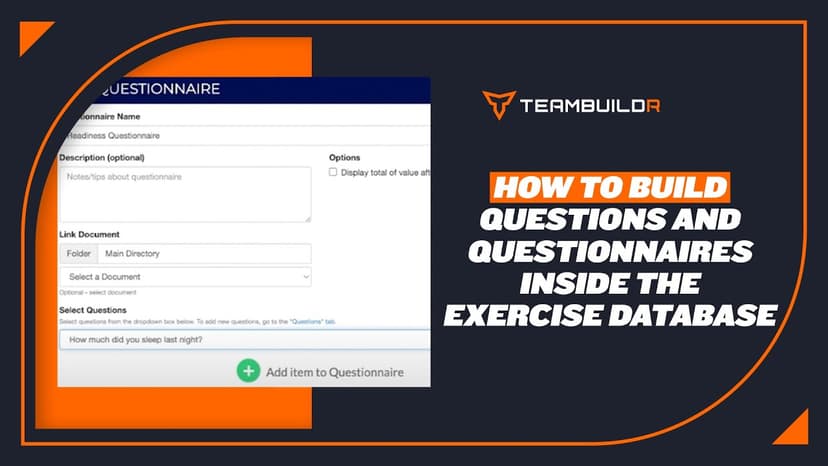
Walkthrough
FreeHow to Add Questions and Questionnaires in the Exercise Database
A short video walkthrough of how to Add Questions and Questionnaires in the Exercise Database from the TeamBuildr knowledge base.
Walkthrough
FreeImported vs Master Database (Merging Duplicate Exercises)
A short video walkthrough of imported vs Master Database (Merging Duplicate Exercises) from the TeamBuildr knowledge base.
Video · 1 min
FreeGuide to Exercises in TeamBuildr
For a full look at our exercise database go to content.teambuildr.com/training To use workout templates, watch this video:
Video · 5 min
FreeHow to Use Workout Templates
Here is a full list of our workout templates: Here is a video on Imported vs. Master database:
- Format
- Walkthrough
- Brand

- Category
- Exercise Database
- Topics
- Platform & Admin