Calendar Overview
A short video walkthrough of calendar Overview from the TeamBuildr knowledge base.
Watch or read
7 minutes across 4 chapters. Click any chapter or timestamp to jump straight there.
4 chapters
in this video we're going to go over one of the most important things inside of your team Builder account the calendar and the reason it's so important is because the calendar is where you're actually going to build all of your programming now this video is going to cover our basic calendar overview but there is a more advanced programming video that you can take a look at to go a little bit deeper and understand some of the nuances inside of the calendar itself so first thing we're going to do is we're going to head over to the calendar tab and now from here we are going to select our calendar that we are going to build and if you've seen other videos you know that um we actually have a list of all
of the calendars that you've created in your account and that can be found under coach tools and manage calendars they'll also appear right here when we select a calendar so here are all of the calendars that you would have inside of your account and as you know we have parent calendars and we have sub calendars so if we look here athletic development is a parent calendar and begin is a sub calendar to that par parent calendar and that's going to create what we call a trickle down effect and we'll get into that in a little bit so first thing we're going to do is we're actually going to work
inside of the baseball calendar today so we're going to select baseball and you can see right here if I scroll through this is our day view now if I jump over to here I'm going to slide my icon out of the way we can select week view and this is going to show us a week's worth of programming and then we can scroll through and see the entire month it's important to note that the week view is only available at the Gold level or higher but at the um silver level you only have access to the de view so now from here if we're working
inside of our week view we're going to skip ahead so that way we can build out some programming on a day let's say we want to build programming for um April 9th so we're going to start by clicking this green plus button to add an exercise then from here you'll see we can add a lift we can add an SAQ plus C circuit a sport Science questionnaire notes and warmups and uh notes and warm-ups can also include videos as well as link documents um and to get to each of these things you would simply click
Still stuck? Contact support →
Read next
More in The Calendar
Walkthrough
FreeAdvanced Programming on the Calendar
A short video walkthrough of advanced Programming on the Calendar from the TeamBuildr knowledge base.
Also in Platform & Admin
Walkthrough
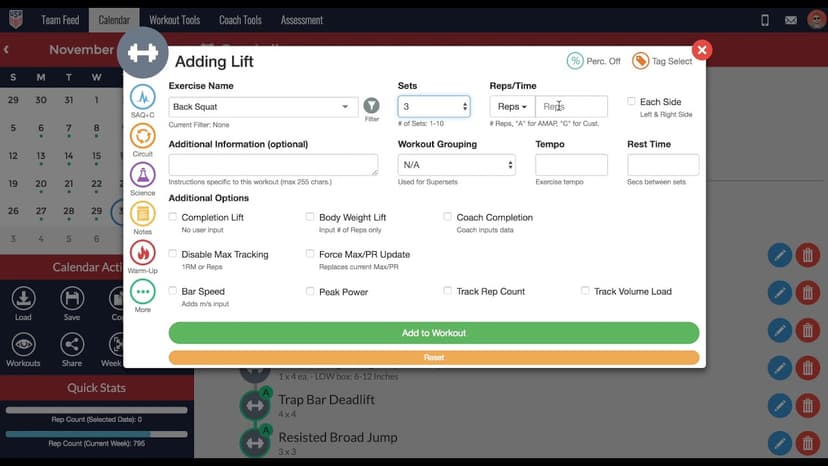
FreeHow to Add a Lift in the TeamBuildr Calendar
A short video walkthrough of how to Add a Lift in the TeamBuildr Calendar from the TeamBuildr knowledge base.
Walkthrough
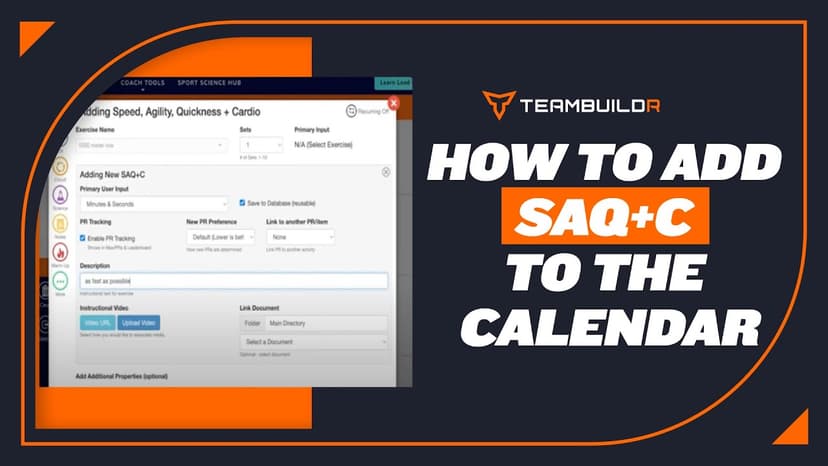
FreeHow to Add Cardio/SAQs in the Calendar
A short video walkthrough of how to Add Cardio/SAQs in the Calendar from the TeamBuildr knowledge base.

Spreadsheet · 2 walkthroughs
Free · sign upAdvanced Attendance Report
Attendance tracking for PE and weights classes that goes past a headcount. Copy the template and it totals participation per student over any window, ready to drop into a grade or a report to an administrator.

Spreadsheet · 2 walkthroughs
Free · sign upAthlete Wellness & Body Report
Track daily wellness check-ins and body composition in one sheet. Copy the template and follow the walkthrough to connect your athlete responses, then use the report to spot who is trending the wrong way before it costs you a session.

Spreadsheet · 7 walkthroughs
Free · sign upCustom Grading System
A ready-made grading spreadsheet for PE and weights classes. Copy the template, connect it to your TeamBuildr data, and it calculates an overall grade from attendance, workout completion and evaluations. Seven short videos walk you through every step of the setup.
- Format
- Walkthrough
- Brand

- Category
- The Calendar
- Topics
- Platform & Admin