Ultimate Guide to Copying Workouts on the Calendar
A short video walkthrough of ultimate Guide to Copying Workouts on the Calendar from the TeamBuildr knowledge base.
Watch or read
4 minutes across 4 chapters. Click any chapter or timestamp to jump straight there.
4 chapters
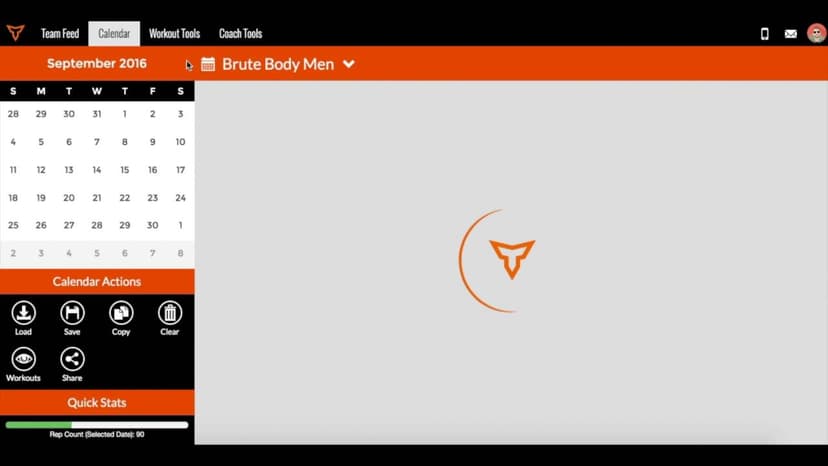
okay so we're going to take a quick look at how to copy workouts in team builder there's a couple ways to do this all in the same place so this video will cover every method that we have to offer when it comes to copying so copying workouts can save you a lot of time it prevents you from having to build the same workouts over and over again from scratch so i'm going to head to this baseball calendar and find the last week of programming here on october 5th so we have this session built out here and let's just say that we want to copy this session the single session from the monday on the 5th to the monday of the 12th
so what we would do in that case is go to this copy button down here in the bottom left under calendar actions so this would require one of three copies and it would be a single date copy so this means i can copy a session from the 5th to the 12th so that session will copy to the 12th and then beyond that i have to make sure i'm targeting my copy in other words if this is on the baseball calendar i want to make sure that i'm continuing to copy on the baseball calendar so you do have the possibility of copying workouts from one calendar to another
Still stuck? Contact support →
Read next
More in The Calendar
Walkthrough
FreeSaving & Loading Workouts in the Calendar
Saving & loading workouts in the Calendar are some of the most efficient things you can do in TeamBuildr to save time as a coach. Instead of building workouts every day, simply save a workout and load it in at any tim…
Also in Platform & Admin
Walkthrough
FreeUltimate Guide to Copying in Build
Every way to copy in Build: a day to another date or calendar, a day repeated across a date range, a whole week, or a few selected exercises, plus the Cmd/Ctrl+C shortcut. Four minutes.

Walkthrough
FreeAdvanced Programming on the Calendar
A short video walkthrough of advanced Programming on the Calendar from the TeamBuildr knowledge base.
4 chapters · 11 lessons
Free · sign upBuild - Your New Programming Environment
Learn how to use TeamBuildr's Build programming environment from start to finish. This course covers navigating the interface, creating and filtering workouts, using copy and multi-select tools, and saving, editing, and sharing workout programs with your athletes.

Spreadsheet · 2 walkthroughs
Free · sign upAdvanced Attendance Report
Attendance tracking for PE and weights classes that goes past a headcount. Copy the template and it totals participation per student over any window, ready to drop into a grade or a report to an administrator.

Spreadsheet · 2 walkthroughs
Free · sign upAthlete Wellness & Body Report
Track daily wellness check-ins and body composition in one sheet. Copy the template and follow the walkthrough to connect your athlete responses, then use the report to spot who is trending the wrong way before it costs you a session.
- Format
- Walkthrough
- Brand

- Category
- The Calendar
- Topics
- Platform & Admin