TV Mode (New Build)
A short video walkthrough of tV Mode (New Build) from the TeamBuildr knowledge base.
Watch or read
2 minutes across 4 chapters. Click any chapter or timestamp to jump straight there.
4 chapters
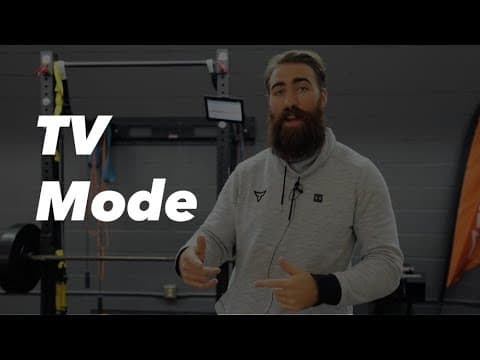
In this video we're going to cover how to use the new TV mode that was just added. To access this you'll go into calendar, scroll down and click into build, and select the calendar that you'd like. Once you're there you can access this view in all three views. We'll start with month. You'll see this little TV screen here it says enter TV mode. When I click that it'll expand my view into something a little bit bigger. So I can scroll through the whole month just you would in your regular calendar. You have the ability to move exercises around.
Still stuck? Contact support →
Read next
Also in Platform & Admin
More in BUILD

Walkthrough
FreeAi Uploader
Bring in a program you already have in a spreadsheet instead of rebuilding it by hand. The AI Uploader reads one tab at a time, detects weeks and days, and matches exercises to your database. It imports your template; it does not write one.
Walkthrough
FreeUltimate Guide to Copying in Build
Every way to copy in Build: a day to another date or calendar, a day repeated across a date range, a whole week, or a few selected exercises, plus the Cmd/Ctrl+C shortcut. Four minutes.

Spreadsheet · 2 walkthroughs
Free · sign upAdvanced Attendance Report
Attendance tracking for PE and weights classes that goes past a headcount. Copy the template and it totals participation per student over any window, ready to drop into a grade or a report to an administrator.

Spreadsheet · 2 walkthroughs
Free · sign upAthlete Wellness & Body Report
Track daily wellness check-ins and body composition in one sheet. Copy the template and follow the walkthrough to connect your athlete responses, then use the report to spot who is trending the wrong way before it costs you a session.

Spreadsheet · 7 walkthroughs
Free · sign upCustom Grading System
A ready-made grading spreadsheet for PE and weights classes. Copy the template, connect it to your TeamBuildr data, and it calculates an overall grade from attendance, workout completion and evaluations. Seven short videos walk you through every step of the setup.
- Format
- Walkthrough
- Brand

- Category
- BUILD
- Topics
- Platform & Admin