Update Future Occurrences in Build (New Build)
A short video walkthrough of update Future Occurrences in Build (New Build) from the TeamBuildr knowledge base.
Watch or read
2 minutes across 3 chapters. Click any chapter or timestamp to jump straight there.
3 chapters
When updating future occurrences on the new build feature, you have a couple of options and an expansion of options from the old calendar. In the old calendar, once you were going to make an option, you could then select either to update the future occurrences to select and change one exercise to another, or update all of the settings together to mimic exactly what that feature had. If I wanted to change this from a Dumbbell Split Jump, I can simply go in here to the additional options on these three dots on the side here, go down to Actions, and I can update future occurrences.
When updating future occurrences, I'm going to select that we are updating the Dumbbell Split Jumps, and we want to update either all future occurrences, so every time that this item is currently programmed on the calendar, we can update it to how we are going to change this one, or update within a date range. So if you say that I have an eight-week program, and I want to change the first four weeks that have Dumbbell Split Jumps to a different exercise, or a different modification of the same exercise, I would say I'm going to do this for the next four weeks.
Still stuck? Contact support →
Read next
More in BUILD
Walkthrough
FreeHow to Use the Force Max/PR Update Toggle (New Build)
A short video walkthrough of how to Use the Force Max/PR Update Toggle (New Build) from the TeamBuildr knowledge base.
Also in Platform & Admin
Walkthrough
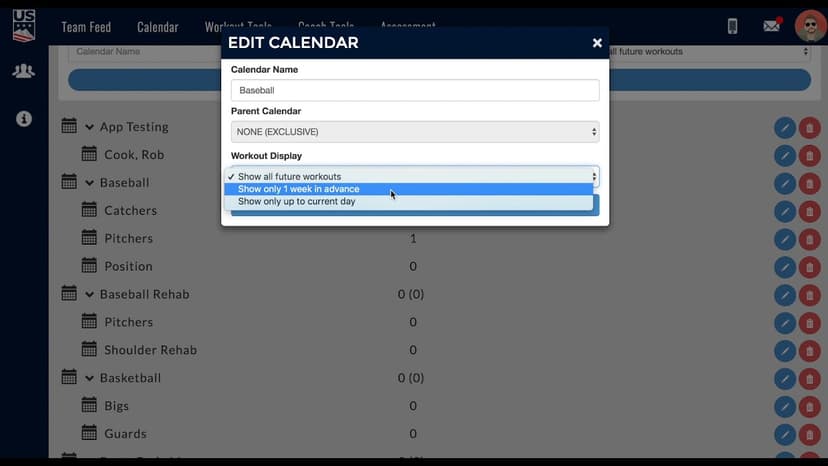
FreeDetermining Future Workout Visibility
A short video walkthrough of determining Future Workout Visibility from the TeamBuildr knowledge base.
Walkthrough
FreeAi Uploader
Bring in a program you already have in a spreadsheet instead of rebuilding it by hand. The AI Uploader reads one tab at a time, detects weeks and days, and matches exercises to your database. It imports your template; it does not write one.

Spreadsheet · 2 walkthroughs
Free · sign upAdvanced Attendance Report
Attendance tracking for PE and weights classes that goes past a headcount. Copy the template and it totals participation per student over any window, ready to drop into a grade or a report to an administrator.

Spreadsheet · 2 walkthroughs
Free · sign upAthlete Wellness & Body Report
Track daily wellness check-ins and body composition in one sheet. Copy the template and follow the walkthrough to connect your athlete responses, then use the report to spot who is trending the wrong way before it costs you a session.

Spreadsheet · 7 walkthroughs
Free · sign upCustom Grading System
A ready-made grading spreadsheet for PE and weights classes. Copy the template, connect it to your TeamBuildr data, and it calculates an overall grade from attendance, workout completion and evaluations. Seven short videos walk you through every step of the setup.
- Format
- Walkthrough
- Brand

- Category
- BUILD
- Topics
- Platform & Admin