How to Add a Lift (New Build)
A short video walkthrough of how to Add a Lift (New Build) from the TeamBuildr knowledge base.
Watch or read
5 minutes across 4 chapters. Click any chapter or timestamp to jump straight there.
4 chapters
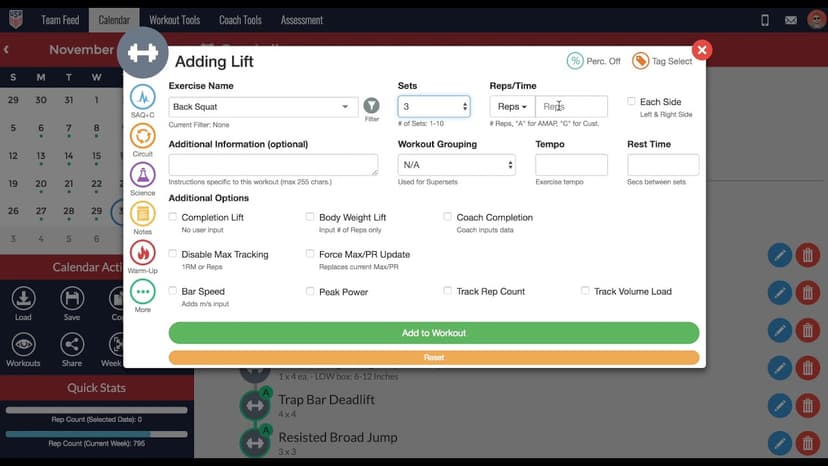
All right guys, in this video I'm going to show you how to add a lift into the calendar. You have a couple different ways you can do this. One of the ways is by clicking this dumbbell icon here, selecting lift, and then here you'll be presented with a list of exercises from your exercise database. Remember in a different video we also talked about how you can select this filter icon here and actually filter your exercises by tag, which are also added in the exercise database as well, and you'll see a condensed list of exercises to pull from.
However, for this example we're going to enter in barbell back squat. From here you will drag and drop this exercise into the calendar to then start adding properties. If there's an exercise that you may not have added into your database yet, but you would to add here, you can from this menu as well by selecting the create new exercise option, and here you'll be able to do that. A different way you can add an exercise is by selecting the add exercise button here in the calendar. And from here you can actually type in the exercise you would to select, and then you will also have the option to create a new exercise here at the bottom as well.
Still stuck? Contact support →
Read next
Also in Platform & Admin
Walkthrough
FreeHow to Add a Lift in the TeamBuildr Calendar
A short video walkthrough of how to Add a Lift in the TeamBuildr Calendar from the TeamBuildr knowledge base.
Walkthrough
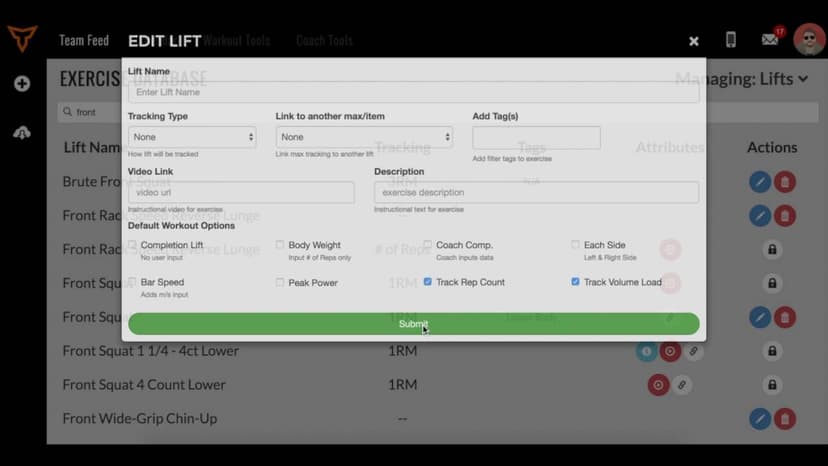
FreeHow to Link Lift Maxes
A short video walkthrough of how to Link Lift Maxes from the TeamBuildr knowledge base.
More in BUILD

Walkthrough
FreeAi Uploader
Bring in a program you already have in a spreadsheet instead of rebuilding it by hand. The AI Uploader reads one tab at a time, detects weeks and days, and matches exercises to your database. It imports your template; it does not write one.

Spreadsheet · 2 walkthroughs
Free · sign upAdvanced Attendance Report
Attendance tracking for PE and weights classes that goes past a headcount. Copy the template and it totals participation per student over any window, ready to drop into a grade or a report to an administrator.

Spreadsheet · 2 walkthroughs
Free · sign upAthlete Wellness & Body Report
Track daily wellness check-ins and body composition in one sheet. Copy the template and follow the walkthrough to connect your athlete responses, then use the report to spot who is trending the wrong way before it costs you a session.

Spreadsheet · 7 walkthroughs
Free · sign upCustom Grading System
A ready-made grading spreadsheet for PE and weights classes. Copy the template, connect it to your TeamBuildr data, and it calculates an overall grade from attendance, workout completion and evaluations. Seven short videos walk you through every step of the setup.
- Format
- Walkthrough
- Brand

- Category
- BUILD
- Topics
- Platform & Admin